Zelda: Ocarina of Time Randomizer
Every item in Ocarina of Time shuffled into a random location, with a massive competitive racing community and weekly races on Racetime.gg.
How to play
Patch it: download the patch from the official page and apply it to your own copy of the game with a patcher such as Rom Patcher JS or Floating IPS. Then play it on an emulator or a flash cart. You need your own copy of the game.
Official page ↗Read more about Zelda: Ocarina of Time Randomizer
The Ocarina of Time Randomizer, available at ootrandomizer.com, has become one of the most active competitive ROM hack communities for any N64 game. Every chest, song, shop item, skull token reward, and NPC gift is shuffled to a random location, and the challenge is to determine what items you have and how to route efficiently to Ganondorf.
The settings system is extremely deep. Seeds can be configured to include only major dungeons, extend randomization to overworld items, and modify the logic to require specific speedrunning glitches. Weekly races on Racetime.gg attract hundreds of participants.
The randomizer supports both the N64 ROM and direct 3DS CIA installation. A companion tracker tool helps players keep track of available items without spoiling locations.
Ocarina of Time decomp
The complete decompilation of Ocarina of Time. Ship of Harkinian is built on it.
How to play
Build it: follow the build steps in the source code page. The build pulls the graphics and sound from your own copy of the game, so you need one. You need your own copy of the game.
Official page ↗Read more about Ocarina of Time decomp
The complete decompilation of Ocarina of Time. Ship of Harkinian is built on it.
Ship of Harkinian
Ocarina of Time running natively on PC with widescreen, 60 fps, a randomizer and mod support.
How to play
Install it: download the latest release from the official page and point it at your own copy of the game the first time it runs. You need your own copy of the game.
Official page ↗▶My guide: How to Install Ship of Harkinian (Ocarina of Time PC Port)Step by step↗Official siteshipofharkinian.com↗JOIN THE DISCORDdiscord.comRead more about Ship of Harkinian
The “Impossible” Native PC Port
Ship of Harkinian (SoH) is not an emulator. It is a fully native PC port of The Legend of Zelda: Ocarina of Time, made possible by the historic “ZRET” decompilation project which translated the game’s original code into modern C languages. Because it runs natively on your hardware (rather than emulating an N64), it supports true widescreen, unlimited frame rates, and modding capabilities that were previously impossible.
Key Features
- 60+ FPS & Widescreen: The game renders at any resolution and frame rate your monitor supports, removing the original 20fps cap and 4:3 aspect ratio without stretching the image.
- Built-in Randomizer: Includes a fully integrated “Randomizer” mode that shuffles items, entrances, and shops for infinite replayability—no external patching tools required.
- Modern Controls: Features full support for dual-stick camera control (“Free Look”), gyroscopic aiming, and D-Pad item mapping, modernizing the control scheme for current gamepads.
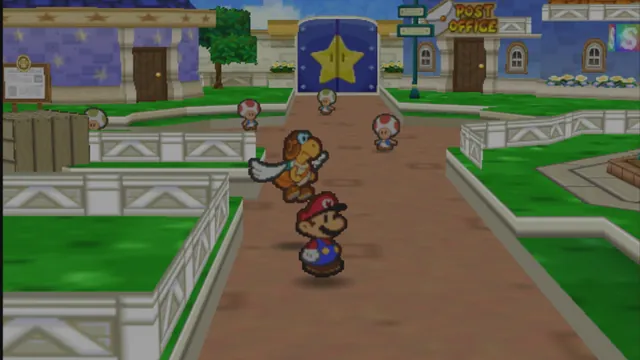
- Enhancements Menu: A massive “Cheats & Tweaks” menu allows players to instantly toggle features like fast text, infinite health, climbing speed, or even fun modes like “Paper Mario”-style flat visuals.
Ocarina of Time running natively on PC with widescreen, 60 fps, a randomizer and mod support.