IconANTON RETRO
  • Home
  • News
    Recent News
    NintendoRetroIndustry
  • Reviews
    Recent Reviews
    HardwareSwitchWii3DS
  • Guides
    All Guides
    WiiWii USwitch3DS
  • Videos
  • Games
  • Mods
  • Portal
    Portal Home
    My PortfolioAdmin Dashboard
  • About
Home
News
Recent NewsNintendoRetroIndustry
Reviews
Recent ReviewsHardwareSwitchWii3DS
Guides
All GuidesWiiWii USwitch3DS
Videos
Games
Mods
Portal
Portal HomeMy PortfolioAdmin Dashboard
About
Top 10 Essential 3DS Homebrew Apps!
Home/Guides
3dsEasyguidesv2024GUIDEtutorial

Top 10 Essential 3DS Homebrew Apps!

Anthony MicallefByAnthony Micallef
UPDATEDJan 17, 2026
READ2 MIN
VIEWS27.7K
Share
Compatibility: All apps work on Old 3DS, New 3DS, 2DS, and 2DS XL.
Introduction

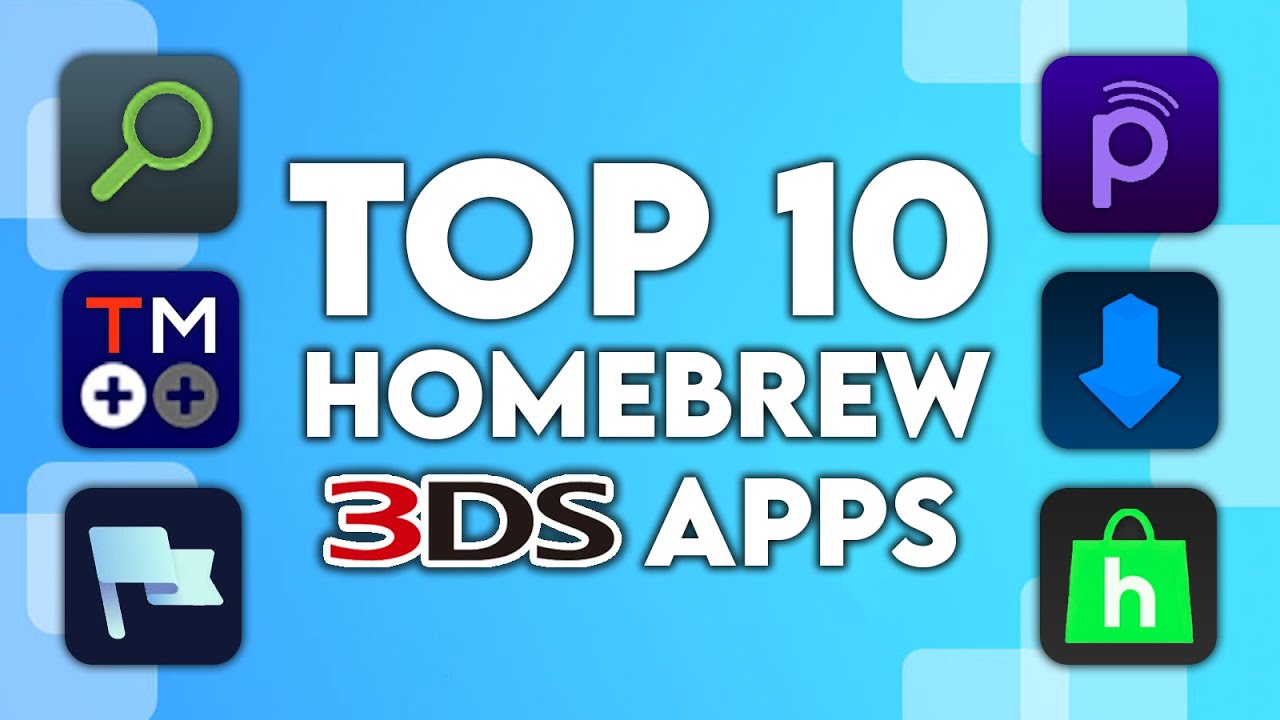
Just modded your 3DS? These are the 10 essential homebrew apps you need to install right now. This list excludes foundational tools like FBI, GodMode9, and the Homebrew Launcher—those are assumed prerequisites.

The Top 10 Essential Apps

1. 3DSIdent

A diagnostic tool that displays system details like kernel version, model, and storage. Key Feature: Identifies if your screens are TN or IPS and tests hardware for issues.

2. GYTB (Give You The Badge)

A custom badge manager. Key Feature: Create and install custom badges using PNG files for your home menu, replacing the defunct Badge Arcade.

3. Checkpoint

A simple and fast save manager. Key Feature: Backs up and restores saves for 3DS/DS cartridges and digital games. Includes a cheat manager.

4. Anemone3DS

A theme manager. Key Feature: Install and manage custom themes to change your home menu look. Also supports splash screens.

5. Pretendo (Nimbus)

An open-source Nintendo Network replacement. Key Feature: Preserves online functionality for 3DS games after official server shutdown. Includes Miiverse support!

6. CTGP-7

A massive mod pack for Mario Kart 7. Key Feature: Adds custom tracks, characters, and features like “Countdown” mode with its own online servers.

7. Twilight Menu++

A DSi menu replacement and launcher. Key Feature: Runs DS, DSi, and GBA backups from SD card with modern features like widescreen patches.

8. FTPD

An FTP server for the 3DS. Key Feature: Transfer files wirelessly between your computer and 3DS—no need to remove the SD card.

9. hShop

A homebrew store and preservation database. Key Feature: Direct downloads for a vast library including out-of-region titles and translations.

10. Universal Updater

An “app store” for homebrew. Key Feature: Download and update other homebrew apps directly on-device without a computer.

Installation

Most apps can be installed via Universal Updater or as CIA files through FBI. We recommend setting up Universal Updater first—it makes managing everything else much easier.

Final Thoughts

These 10 apps form the foundation of any modded 3DS. Watch the full video above for detailed walkthroughs!

Table of Contents

Introduction
The Top 10 Essential Apps
1. 3DSIdent
2. GYTB (Give You The Badge)
3. Checkpoint
4. Anemone3DS
5. Pretendo (Nimbus)
6. CTGP-7
7. Twilight Menu++
8. FTPD
9. hShop
10. Universal Updater
Installation
Final Thoughts

Quick Info

Platform3ds
DifficultyEasy
Time2 MIN
Guide Typeguides
Version2024

Share This Guide

About the Author

Anthony Micallef

Anthony Micallef

Anthony Micallef is the creator of Anton Retro, a platform dedicated to retro gaming enthusiasts. With years of experience in Nintendo homebrew and modding, he creates guides to help gamers get the most out of their consoles.

Anton Retro GitHub

How did this guide help?

Leave a comment or tip for other players

0

Comments may be moderated before appearing.

Loading comments...

Table of Contents

Introduction
The Top 10 Essential Apps
1. 3DSIdent
2. GYTB (Give You The Badge)
3. Checkpoint
4. Anemone3DS
5. Pretendo (Nimbus)
6. CTGP-7
7. Twilight Menu++
8. FTPD
9. hShop
10. Universal Updater
Installation
Final Thoughts

Quick Info

Platform3ds
DifficultyEasy
Time2 MIN
Guide Typeguides
Version2024

Most Popular

01

How to Homebrew Your New Nintendo 3DS (11.17)

02

How to Setup an SDHC R4 Card

03

Setup USB Loader GX

04

How to Homebrew Wii U (Aroma)

05

How to Play 3DS Games Online (Pretendo)

06

How to Create a Custom YSMenu Theme

See More

Trending Now

NEWS

RUMOR: Nintendo Direct Reportedly Incoming for June, With Surprises Still Under Wraps

NEWS

Minecraft for Nintendo Switch 2 Rated by the ESRB

NEWS

suiCune: Pokemon Crystal Gets a Native PC Port Built From Scratch

GAME

suiCune (Pokemon Crystal PC Port)

GAME

Pokemon Platinum (Unofficial PC Port)

NEWS

Pokemon Platinum Gets Unofficial Native PC Port

Related

Jan 24, 2026

How to stream your New Nintendo 3DS

Jan 17, 2026

Which 3DS is the Best? (2025 Buying Guide)

Jan 17, 2026

How to Homebrew Your Original Nintendo 3DS & 2DS (11.17)

Top 10 Essential 3DS Homebrew Apps!
IconANTON RETRO

Retro gaming news, reviews, guides, and homebrew coverage. For Nintendo fans, modders, and collectors.

Explore
  • News
  • Reviews
  • Guides
  • Videos
  • Games
  • Mods
Information
  • Portal
  • About
  • Privacy Policy
  • Terms of Service
  • Sitemap
  • Changelog
  • Contact

78,000+ subscribers

Join 78,000+ retro gaming enthusiasts and never miss a video!

Subscribe Now

© 2026 Anthony Micallef - Anton Retro. All rights reserved.

DigitalOcean Referral Badge|Icons byControllercons|v5.0.0