IconANTON RETRO
  • Home
  • News
    Recent News
    NintendoRetroIndustry
  • Reviews
    Recent Reviews
    HardwareSwitchWii3DS
  • Guides
    All Guides
    WiiWii USwitch3DS
  • Videos
  • Games
  • Mods
  • Portal
    Portal Home
    My PortfolioAdmin Dashboard
  • About
Home
News
Recent NewsNintendoRetroIndustry
Reviews
Recent ReviewsHardwareSwitchWii3DS
Guides
All GuidesWiiWii USwitch3DS
Videos
Games
Mods
Portal
Portal HomeMy PortfolioAdmin Dashboard
About
Miyoo Mini / Plus Starter Guide (Onion OS)
Home/Guides
handheldsguidesv4.3.1-1GUIDEgamingnintendo

Miyoo Mini / Plus Starter Guide (Onion OS)

Anthony MicallefByAnthony Micallef
UPDATEDFeb 10, 2026
READ2 MIN
VIEWS185
Share

Introduction

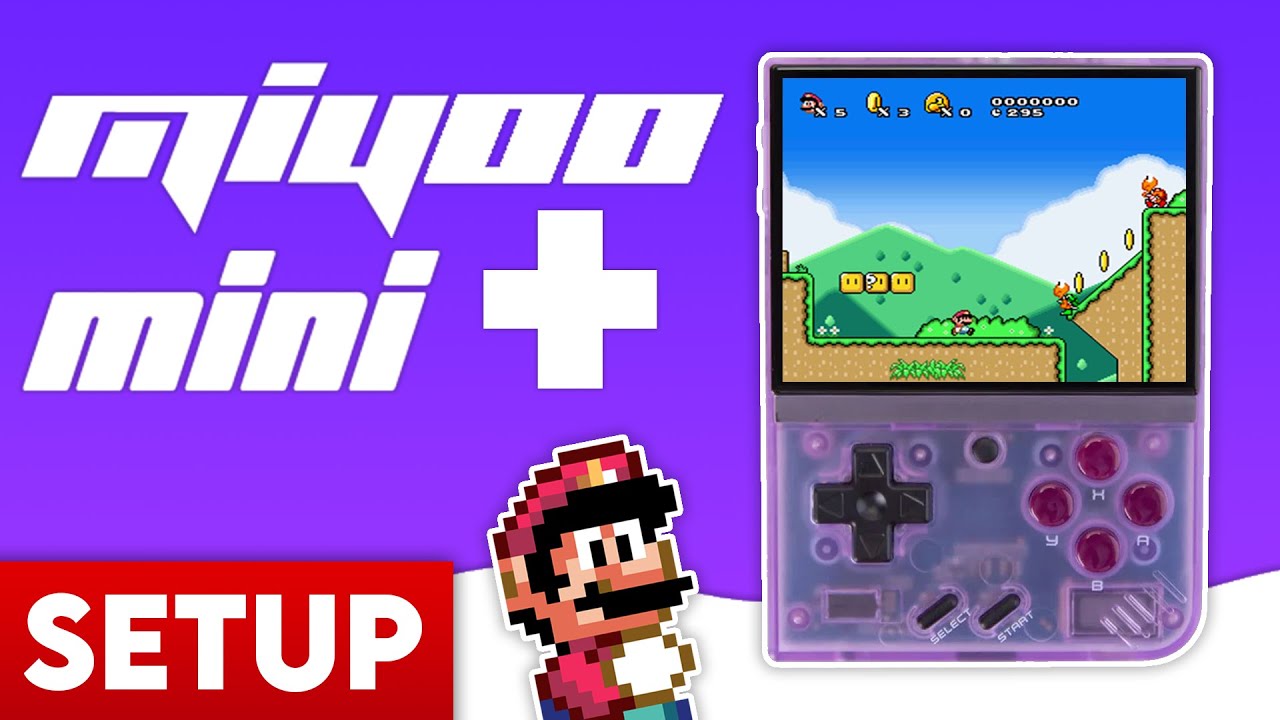
The Miyoo Mini Plus is an amazing retro handheld, but to truly unlock its potential, you need Onion OS. This guide will walk you through unboxing, preparation, and the full installation process.
Unboxing & Contents

Inside the box, you’ll find the device itself, a USB-C charging cable, a generic (low quality) Micro SD card, a USB card adapter, and a screen protector. Tip: We recommend replacing the included SD card immediately to avoid data loss.

Step 1: Preparation

1. Replace the SD Card: The generic card included with the device is prone to failure. Use a high-quality card from SanDisk or Samsung.
2. Format SD Card: Format your new card to FAT32. Windows users will need GUIFormat for cards larger than 32GB, as Windows’ built-in tool won’t allow FAT32 formatting for large disks.

Advertisement
Loading ad...

Step 2: Installation

1. Download the latest Onion OS zip file from the official GitHub.
2. Extract the downloaded zip file on your computer.
3. Copy ALL the extracted files and folders to the ROOT of your empty, FAT32-formatted SD card.

Step 3: Adding Games & Ports

1. Copy your game ROMs into the appropriate folders (e.g., /Roms/GBA).
2. Don’t forget BIOS files for systems like PS1 (place them in the /BIOS folder).
3. You can also add a ‘Ports Collection’ (like Super Mario 64) for enhanced native gameplay.

Step 4: Final Setup

1. Insert the SD card into your Miyoo Mini Plus.
2. Power on the device. Onion OS will begin its automatic installation process.
3. Once complete, use the Package Manager to select the consoles and apps you want to appear on your home screen.

Installation complete! Enjoy the best retro experience on the Miyoo Mini Plus.

Table of Contents

Introduction
Unboxing & Contents
Step 1: Preparation
Step 2: Installation
Step 3: Adding Games & Ports
Step 4: Final Setup

Quick Info

Platformhandhelds
DifficultyStandard
Time2 MIN
Guide Typeguides
Versionv4.3.1-1
Jump to Comments
Advertisement
Loading ad...
Advertisement
Loading ad...

Share This Guide

About the Author

Anthony Micallef

Anthony Micallef

Anthony Micallef is the creator of Anton Retro, a platform dedicated to retro gaming enthusiasts. With years of experience in Nintendo homebrew and modding, he creates guides to help gamers get the most out of their consoles.


Anton Retro GitHub

How did this guide help?

Leave a comment or tip for other players

0

Comments may be moderated before appearing.

Loading comments...

Table of Contents

Introduction
Unboxing & Contents
Step 1: Preparation
Step 2: Installation
Step 3: Adding Games & Ports
Step 4: Final Setup

Quick Info

Platformhandhelds
DifficultyStandard
Time2 MIN
Guide Typeguides
Versionv4.3.1-1
Jump to Comments

Most Popular

01

How to Homebrew Your New Nintendo 3DS (11.17)

02

How to stream your New Nintendo 3DS

03

How to Setup an SDHC R4 Card

04

How to Homebrew Your Original Nintendo 3DS & 2DS (11.17)

05

Setup USB Loader GX

06

Top 10 Essential 3DS Homebrew Apps!

See More

Trending Now

NEWS

I Was on Perky Planet, Reecee’s New Nintendo Podcast

NEWS

Nintendo Switch Sports Resort Fixes Everything the Previous Game Got Wrong

NEWS

Nintendo Direct June 9 2026: Every Single Announcement, Ranked

NEWS

Pikuniku 2 Is Going 3D and It Was Hiding in a Dancing Meme the Whole Time

NEWS

The Legend of Zelda: Ocarina of Time Is Being Reborn on Nintendo Switch 2

NEWS

Nintendo Direct 6.9.2026: What We Could See Tomorrow

Advertisement
Loading ad...

Related

Jun 4, 2026

How to Install Banjo-Kazooie Recompiled (PC Port)

Jun 4, 2026

How to Install Ship of Harkinian (Ocarina of Time PC Port)

Jun 4, 2026

How to Install The Legend of Zelda: The Minish Cap PC Port

Miyoo Mini / Plus Starter Guide (Onion OS)
Advertisement
Loading ad...
IconANTON RETRO

Retro gaming news, reviews, guides, and homebrew coverage. For Nintendo fans, modders, and collectors.

Explore
  • News
  • Reviews
  • Guides
  • Videos
  • Games
  • Mods
Information
  • Portal
  • About
  • Editorial Policy
  • Privacy Policy
  • Terms of Service
  • Sitemap
  • Changelog
  • Contact

78,000+ subscribers

Join 78,000+ retro gaming enthusiasts and never miss a video!

Subscribe Now

© 2026 Anthony Micallef - Anton Retro. All rights reserved.

DigitalOcean Referral Badge|Icons byControllercons|v5.0.0